Maximizing Value with a Free Christmas SVG Bundle: A Practical Guide for Crafters
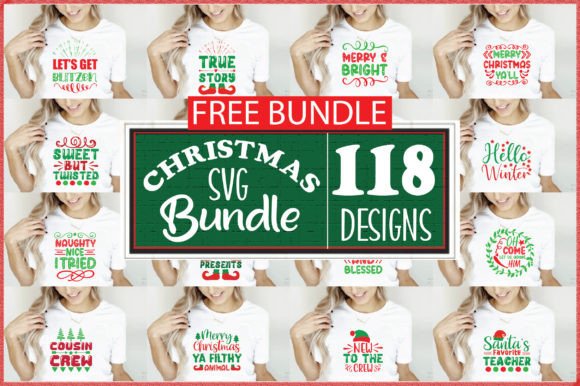
The holiday crafting season often brings a surge of creative ambition, but it also introduces budget constraints and time pressures. For makers ranging from small business owners to hobbyists, a Free Christmas SVG Bundle represents an attractive solution to expand design libraries without immediate financial outlay. When you encounter a collection boasting over 118 unique designs, including religious quotes, Christmas sayings, and diverse thematic elements, the potential for productivity is immense. However, experienced creators know that "free" does not always mean "ready-to-use." The difference between a successful project and a frustrating waste of materials often lies in how you evaluate, organize, and apply these digital assets before the cutting machine ever powers on.
Evaluating Design Quality Beyond the Quantity
A common oversight when downloading large bundles is focusing exclusively on the number of files rather than the integrity of the vectors. While receiving over 118 unique designs is generous, not every file will be optimized for physical production. Beginners frequently assume that if a design looks good as a thumbnail, it will cut cleanly on vinyl or cardstock. This assumption can lead to jagged edges, disconnected nodes, or excessive weeding time.
Before committing to a full production run, open individual files in your cutting software to inspect the node structure. High-quality SVGs should have smooth curves and minimal anchor points. Poorly digitized freebies often contain thousands of unnecessary nodes that cause cutting machines to stutter or produce rough edges. Additionally, check for overlapping layers. A design might appear cohesive visually, but if the text and graphics are not welded or grouped correctly, your machine may cut them as separate pieces, ruining the alignment. Taking ten minutes to audit the vector paths saves hours of wasted vinyl and frustration later.
Understanding File Compatibility and Software Limitations
Misunderstanding file formats is perhaps the most frequent technical error in the digital crafting community. A comprehensive bundle typically provides multiple formats to ensure accessibility, yet users often grab the first file they recognize rather than the one best suited for their specific workflow. You will generally receive these designs in a zipped file containing four distinct types, each serving a critical purpose:
- SVG file: Compatible with Cricut Design Space and Silhouette Cameo Designer Edition. This is your primary cutting format because it retains scalability and layer information.
- PNG file: Features a transparent background, making it ideal for sublimation, print-then-cut projects, or digital mockups where vector editing is unnecessary.
- EPS file: Compatible with Adobe Illustrator and CorelDraw. Professional designers use this for extensive editing, recoloring, or combining elements before exporting a final cut file.
- DXF file: Compatible with Silhouette Studio Basic Edition. If you do not pay for the Designer upgrade, this is your only option for importing scalable vectors into the free software.
Using a PNG when you need an SVG results in pixelated cuts and loss of editability. Conversely, trying to force an EPS into basic cutting software without conversion leads to compatibility errors. Always match the file type to your software’s native capabilities to maintain workflow efficiency.
Navigating Licensing for Commercial and Personal Use
For entrepreneurs and small business owners, the legal aspect of free assets requires careful attention. A significant mistake is assuming that "free to download" equates to "free to sell." Many free bundles are released under personal-use-only licenses. Using these designs on products intended for sale, such as custom ornaments, apparel, or mugs, can expose your business to copyright infringement claims.
Always locate and read the license file included in the zip folder. If the bundle includes religious quotes or trademarked Christmas sayings, verify whether the typography itself is licensed for commercial application. Some designers allow personal gifting but prohibit mass production or digital redistribution. If your goal is to step up your crafting game professionally, treat licensing verification as a non-negotiable step in your quality control process. When in doubt, reach out to the creator for clarification or reserve those specific designs for personal holiday decor while sourcing commercially cleared alternatives for client work.
Organization Strategies for Large Design Libraries
Receiving over 118 designs at once can quickly turn a digital workspace into chaos. A disorganized library negates the time-saving benefits of a bundle. Creators often unzip the entire package into a generic "Downloads" folder, leading to duplicate files, lost versions, and wasted search time during peak production periods.
Implement a structured filing system immediately upon download. Create folders based on theme (e.g., Religious, Humorous, Vintage), file type, or project intent. Rename files descriptively; "christmas_design_04.svg" is useless six months later, whereas "religious_quote_john316_vintage.svg" is instantly searchable. For those using cloud storage or external drives, maintaining this hierarchy ensures that your asset library remains a productive tool rather than a digital graveyard. Efficient organization directly correlates to faster turnaround times and reduced mental fatigue during the busy holiday season.
Testing Before Final Production
Even after verifying nodes, formats, and licenses, practical testing remains essential. Material behavior varies significantly between screen and reality. A delicate script font that renders beautifully in software may tear when cut on glitter vinyl or fail to weed on flocked heat transfer material. Always perform a test cut on scrap material when using a new design from the bundle. Adjust blade depth, pressure, and speed settings specifically for that design’s complexity. This corrective step prevents the costly mistake of ruining premium materials on an untested file. Remember that stepping up your crafting game involves respecting the learning curve of each new asset, ensuring that your final output reflects professional standards regardless of the design's cost.
Leveraging Variety Without Sacrificing Cohesion
With themes ranging from solemn religious quotes to playful Christmas sayings, there is a risk of creating disjointed product lines. A common aesthetic error is mixing incompatible styles within a single collection simply because they were in the same bundle. Just because you have access to 118 designs does not mean they all belong together in your shop or home decor scheme.
Curate your selections intentionally. Group similar fonts, illustration styles, and color palettes to create cohesive collections. Use the variety to offer range across different customer segments—perhaps traditional religious designs for one demographic and modern minimalist sayings for another—but avoid blending them haphazardly. Strategic curation demonstrates expertise and helps build a recognizable brand identity, proving that thoughtful selection matters more than sheer volume.